
COLLECTING, EXPLAINED · 3 MIN READ
Find your next piece on ZAPP
Use market data to explore, then review the individual item before taking an action. Here is how the ZAPP views fit together.

From discovery to confirmation
- 01 · DISCOVER
Find a collection
Use Collections, Trending or Favorites to choose where to look.
- 02 · INSPECT
Choose the exact NFT
Check the contract, token ID, source, currency and asking price.
- 03 · REVIEW
Confirm the total
Review the supported payment path, fees and wallet request.
Start with the market
Collections ranks by total volume. Trending uses 24-hour volume, while Favorites keeps the collections you have starred close by. Time and currency filters help you inspect a particular market view.
Popular collections also uses total volume. Top Movers compares recent floors with earlier observations in the same currency. A large percentage move can come from a small starting value, and thin markets can move sharply.
Inspect the item
Open a collection, search its indexed items and inspect traits where available. Listed pieces come first, followed by unlisted pieces. Confirm the contract address, token ID, payment currency, listing price and source before preparing a purchase.
Market snapshots can change. An order may expire, sell elsewhere or become unavailable. Cached information is useful for browsing; the final action must pass the current execution checks.
Review before signing
When an action is supported, ZAPP prepares a review with the available payment path and fees. Creator royalties are part of ZAPP’s trading policy. Follow the review and wallet prompts, and confirm that the amount and network match your intent.
A disabled action means the required execution path is unavailable. Token discovery charts likewise do not imply that every discovered token can be traded inside ZAPP. Your wallet remains where you approve consequential actions.
Try it on a collection
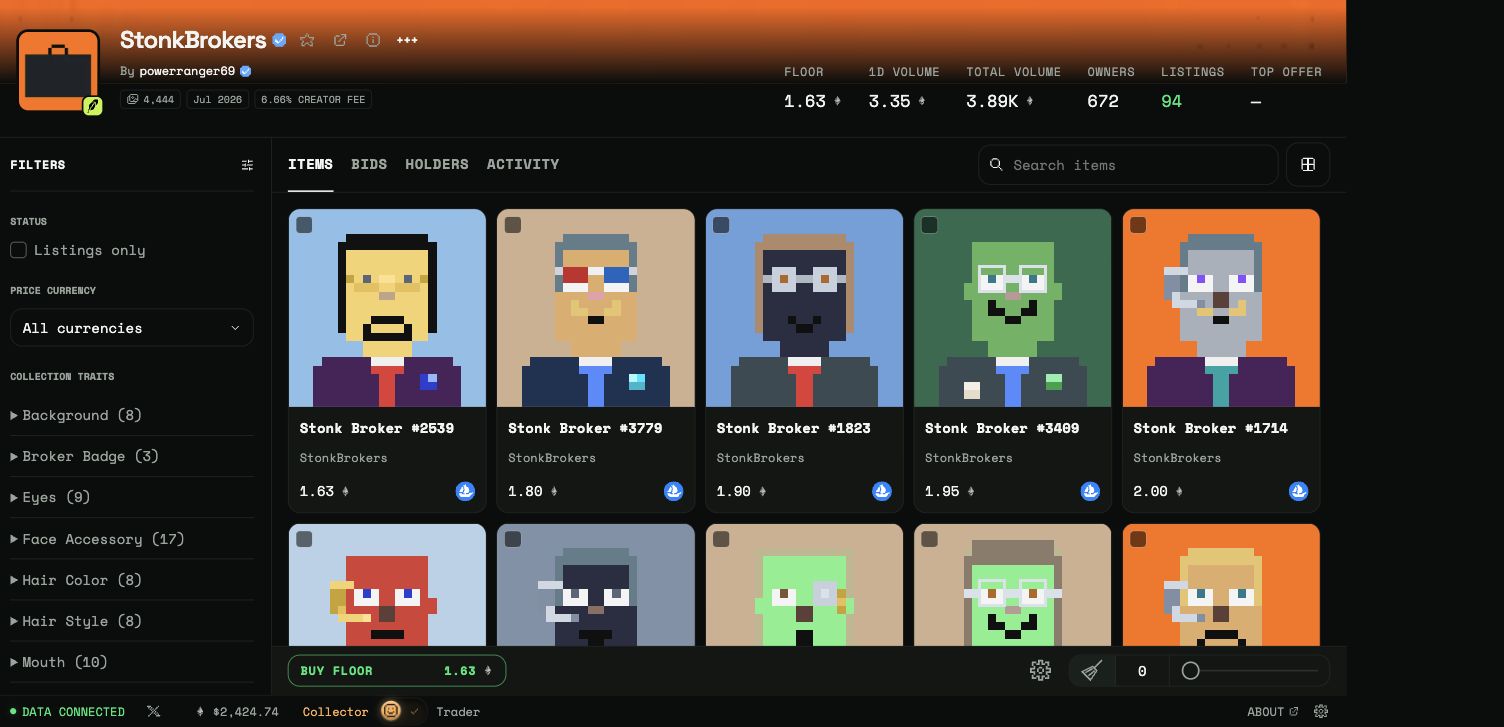
- Filter by listings, currency or traits on the left.
- Search within the collection and choose a view above the items.
- Open an NFT card to inspect its exact identity and current listing.